TCP Monitoring
Know when a service's port stops accepting connections.
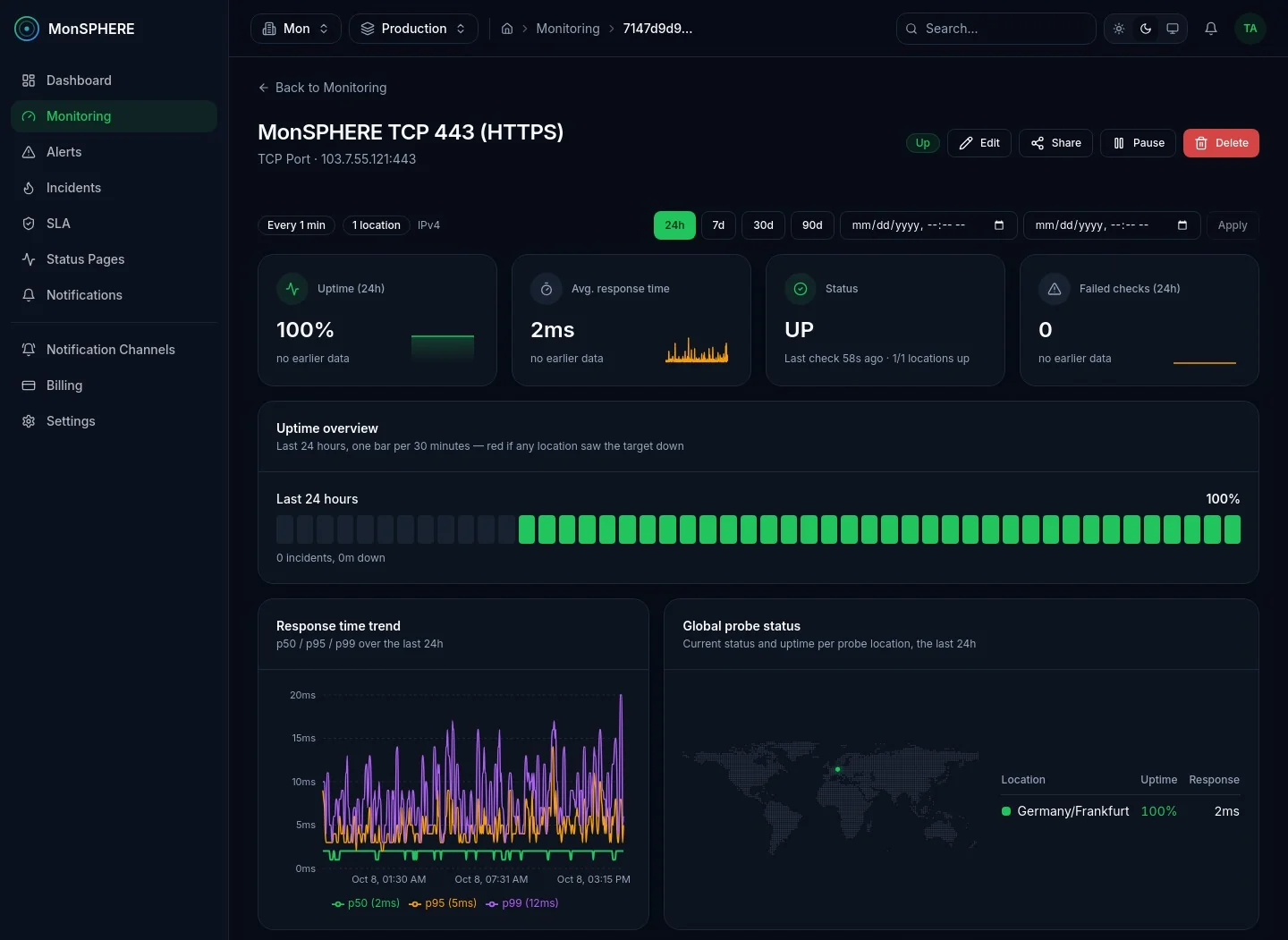
A TCP monitor connects to a host and port from each region you assign and records whether the connection succeeded and how long it took. For TLS-wrapped services and real request/response checks, see Advanced TCP Monitoring.
What it detects
- A port that stops accepting connections
- Rising connect times
- A path that fails from one region but not another
How you're alerted
- A ready-made “TCP Down” rule is attached automatically.
Notifications go to any of 8 channels — see notifications.
- Runs from
- Every probe region you assign — down only when all of them agree
- Dashboard
- Uptime, connect time p50/p95/p99, status per probe location, SLA status and recent results
- Available on
- Free, Professional · Enterprise and Custom on request
More in Uptime & APIs
View categoryWebsite Monitoring
Track uptime, response time, and page performance from every region you assign.
Advanced Website Monitoring
Regex assertions, forbidden keywords, and custom request headers and bodies — check what a page or API actually returns, including authenticated endpoints.
Ping Monitoring
ICMP checks for raw network reachability and latency tracking.
Advanced TCP Monitoring
TCP over TLS plus send/expect validation — confirm a service actually answers correctly, not just that its port is open.
DNS Monitoring
Track DNS resolution and validate that returned records actually match the values you expect — catch a hijacked or silently changed record, not just a resolution failure.
Cron Job Monitoring
Inbound 'I'm alive' checks for cron jobs and background workers — alerts when a run goes missing, with every ping and each run's duration kept.
API Transaction Monitoring
Chain multiple HTTP requests — extract a value from one response, like a login token, and reuse it in the next.
Synthetic Monitoring
Script a real multi-step browser journey — navigate, click, fill, wait, and assert — for user-flow monitoring beyond a simple uptime check.
Start monitoring everything in minutes
Create a free account, add your first check and get alerted the moment something breaks — no credit card required.